두 번째 매장이 열렸다. 첫 번째 매장의 앱을 그대로 쓰고 싶다.
여기서 대개 이렇게 된다.
if (shopName == 'Riverside') { ... } else { ... }그리고 세 번째 매장에서 또 한 번, 네 번째에서 또 한 번. 2년 뒤에는 이미 문 닫은 매장의 분기가 파일에 남아 있고 아무도 지우지 못한다.
앱은 매장을 몰라야 한다
이 샘플의 규칙은 하나다.
/// The tempting shape is a `shopName` switch somewhere. Then the second shop
/// is a code change, the third shop is a code change, and eventually the file
/// has a branch for a shop that closed two years ago.
///
/// So nothing here knows any shop's name. The config file is an argument.
매장은 설정 파일이고, 설정 파일은 앱 밖에 있다.
shop.mbd/          ← 앱. 두 매장 공용
configs/
  riverside.json   ← 매장 1
  hilltop.json     ← 매장 2
같은 파일, 다른 매장
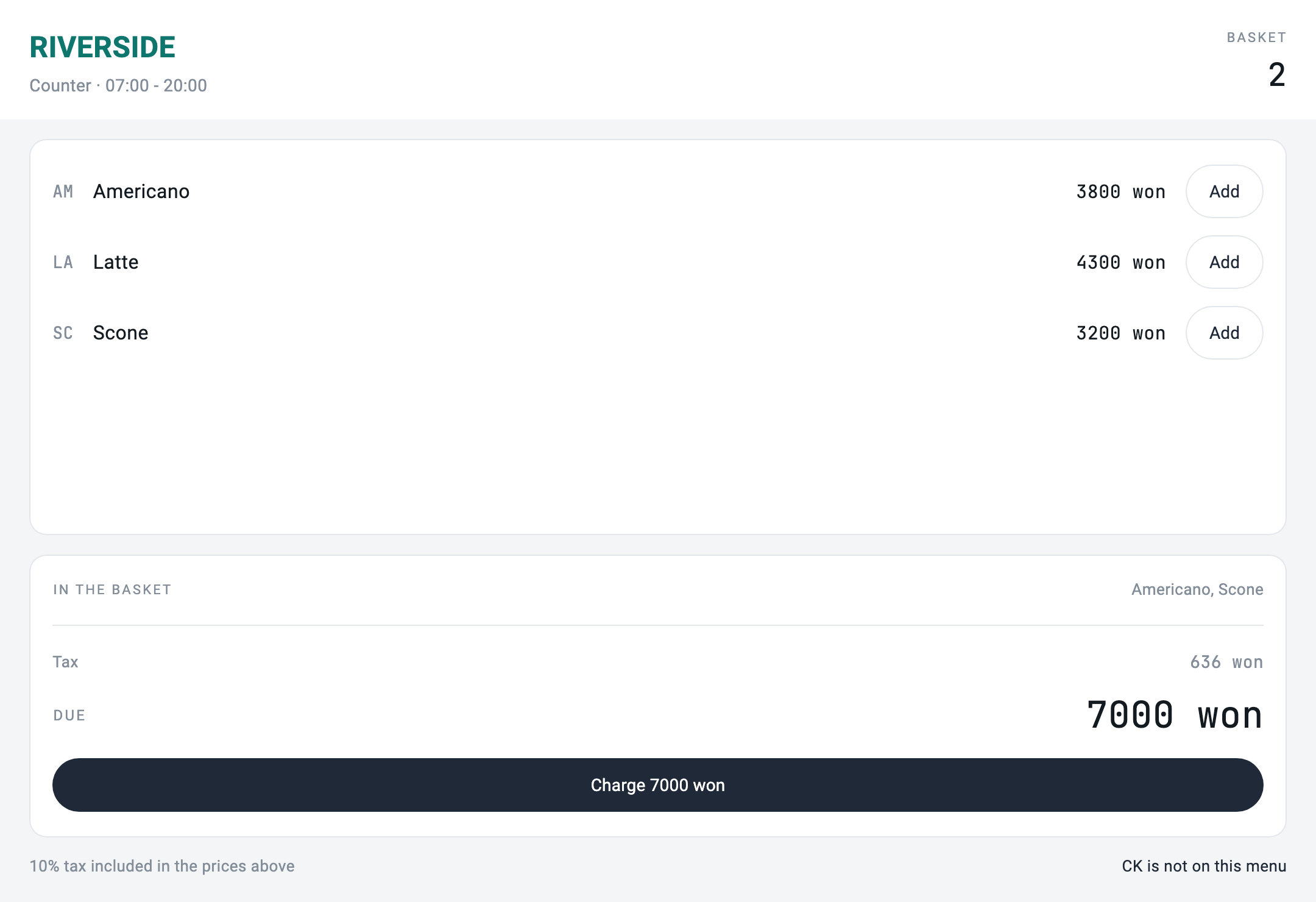
Charge 7000 won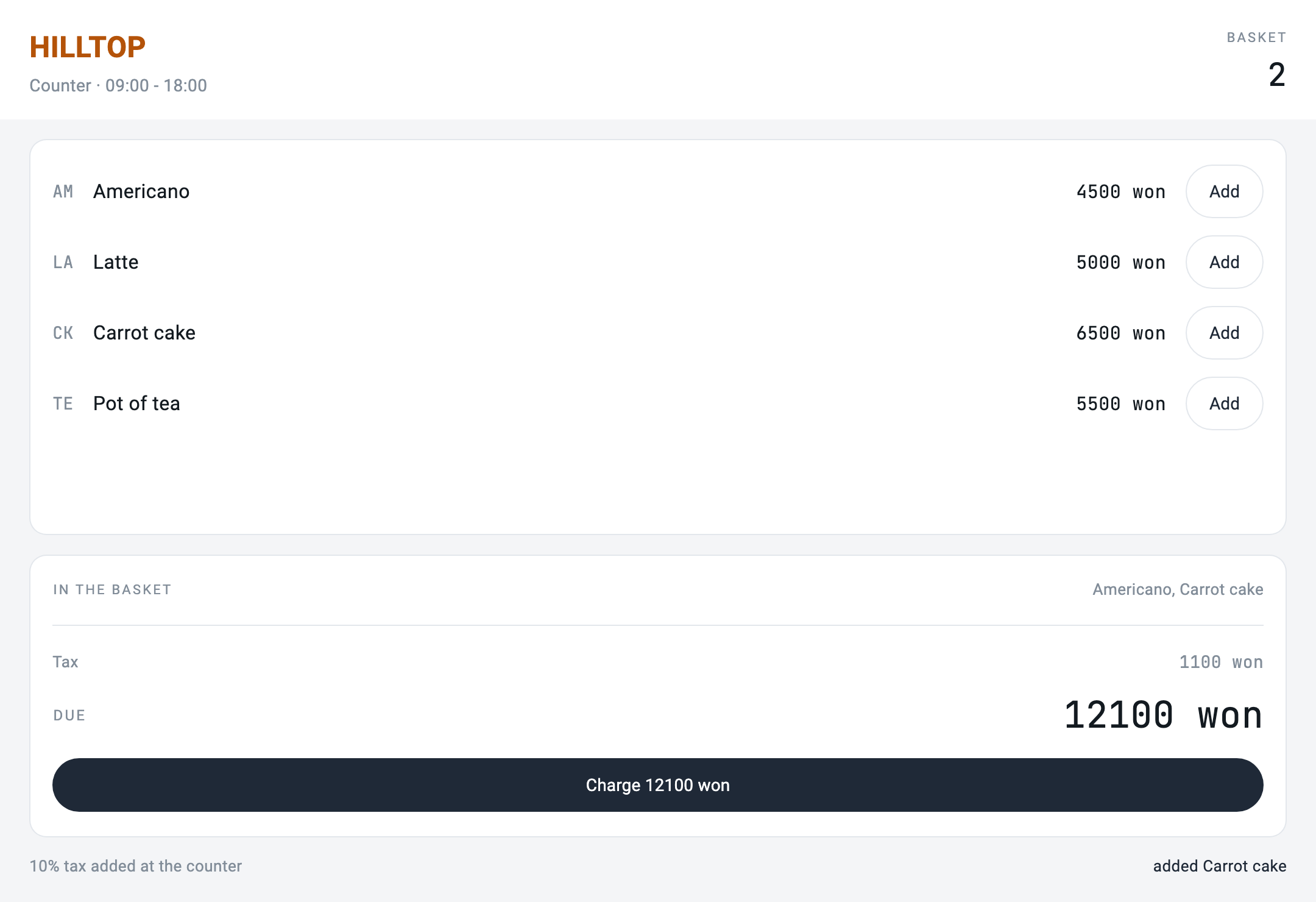
shop.mbd — 3 files, sha256:f5f905958eac

[riverside.json] RIVERSIDE · 07:00 - 20:00 · 3 items on the menu
[hilltop.json]   HILLTOP   · 09:00 - 18:00 · 4 items on the menu
same screen file, two shops: RIVERSIDE due 7000 won vs HILLTOP due 12100 won
번들 전체를 해시로 찍어 뒀다. 두 매장 사이에 뭐가 다르든, 저 안에 있는 건 아니다.
검증은 grep 한 줄이다
이 편의 주장은 검사 한 개로 요약된다.
for NAME in Riverside Hilltop; do
  if grep -RIiq "$NAME" shop.mbd shop_server/bin; then
    echo "   \"$NAME\" appears inside the app — the difference has leaked in"; exit 1
  fi
done
neither shop name appears in shop.mbd or shop_server/bin앱 안에 매장 이름이 나타나면 실패한다. 이 검사는 앞으로 누가 급해서 if (shop == 'Hilltop') 한 줄을 넣는 순간 빨간불이 된다. 그게 이 검사의 존재 이유다 — 그 한 줄은 언제나 급할 때 들어온다.
메뉴에 없는 걸 누르면
화면 파일이 같으니 당근 케이크 버튼은 두 매장 화면에 똑같이 있다.
리버사이드에는 당근 케이크가 없다.
[riverside.json] add CK -> "CK is not on this menu"
[hilltop.json]   add CK -> "added Carrot cake"
거절은 서버가 한다.
// A sku that is on one shop's menu and not the other's must be refused
// here, not hidden by the screen. The screen is the same file in both
// shops and cannot know.
if (item.isEmpty) {
  return _state(notice: '$sku is not on this menu');
}
이건 이건 누가 눌러도 되나와 같은 이야기의 다른 얼굴이다. 거기서는 권한이 화면 밖에 있었고, 여기서는 카탈로그가 화면 밖에 있다. 공통점은 화면이 같은 파일이라는 것이고, 같은 파일은 아무것도 결정할 수 없다.