二軒目が開いた。一軒目のアプリをそのまま使いたい。
ここでたいていこうなる。
if (shopName == 'Riverside') { ... } else { ... }そして三軒目でもう一度、四軒目でもう一度。二年後にはすでに閉めた店舗の分岐がファイルに残り、誰も消せない。
アプリは店舗を知ってはならない
このサンプルの規則はひとつだ。
/// The tempting shape is a `shopName` switch somewhere. Then the second shop
/// is a code change, the third shop is a code change, and eventually the file
/// has a branch for a shop that closed two years ago.
///
/// So nothing here knows any shop's name. The config file is an argument.
店舗は設定ファイルであり、設定ファイルはアプリの外にある。
shop.mbd/          ← アプリ。二店舗共用
configs/
  riverside.json   ← 店舗1
  hilltop.json     ← 店舗2
同じファイル、違う店舗
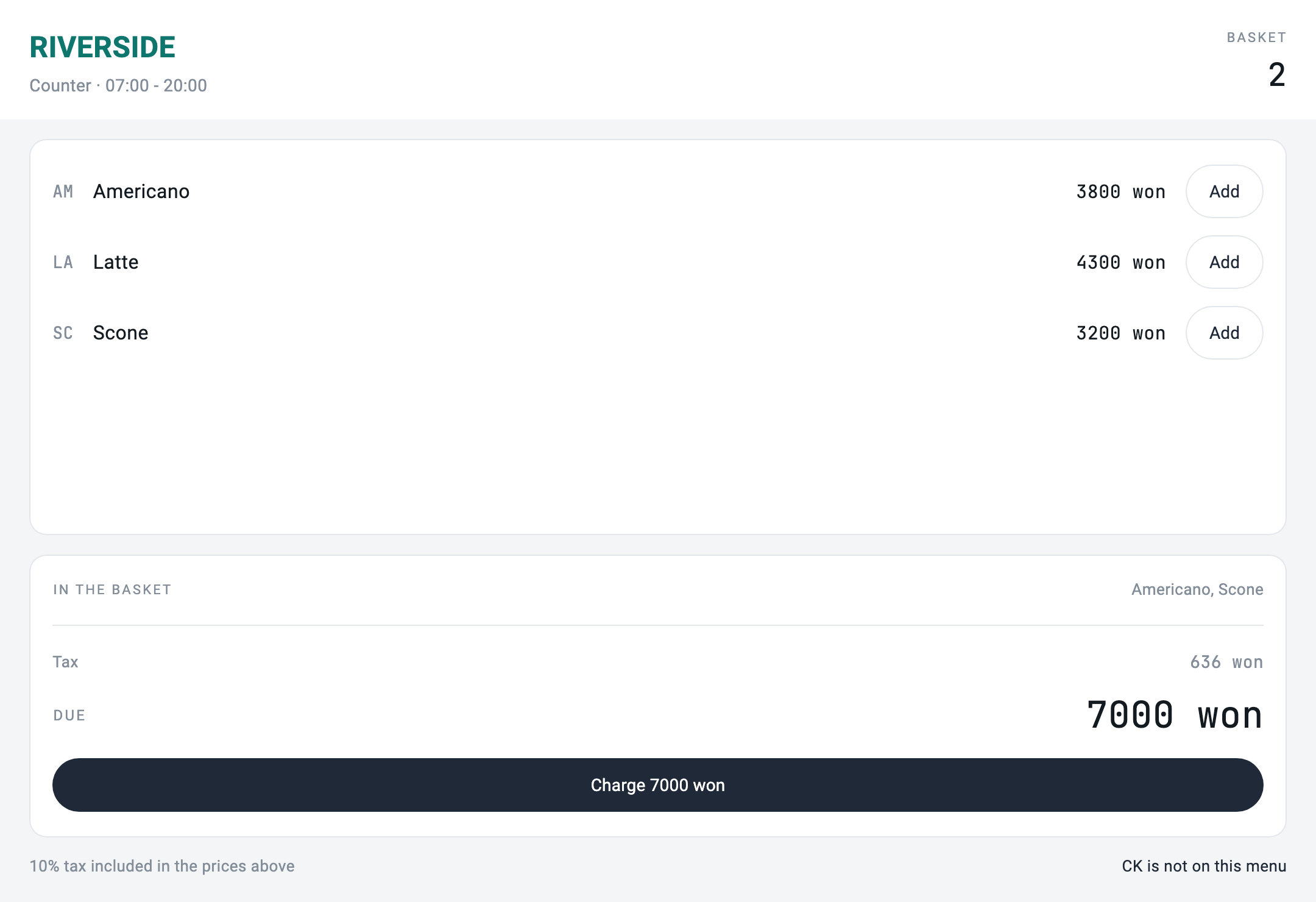
Charge 7000 won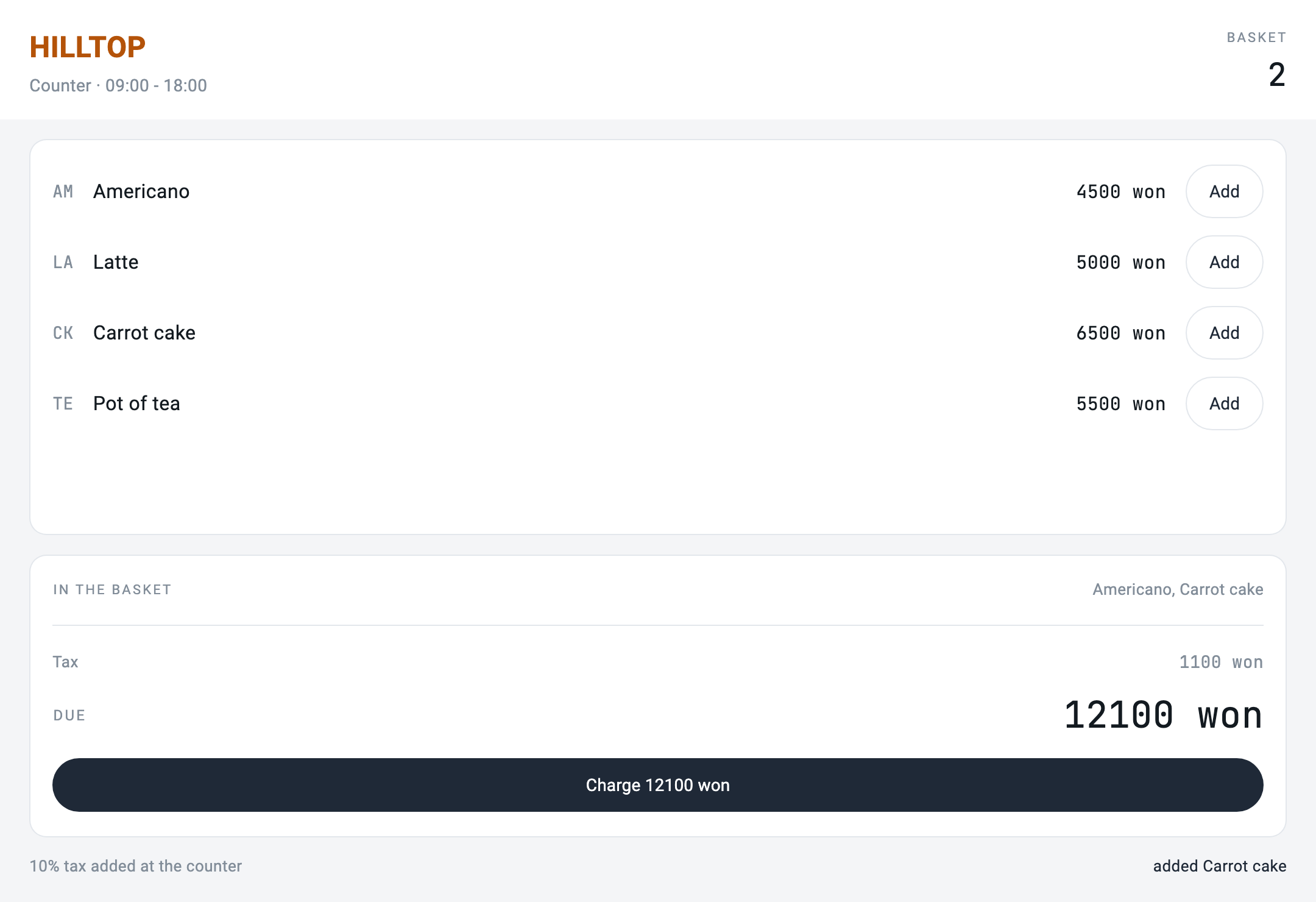
shop.mbd — 3 files, sha256:f5f905958eac

[riverside.json] RIVERSIDE · 07:00 - 20:00 · 3 items on the menu
[hilltop.json]   HILLTOP   · 09:00 - 18:00 · 4 items on the menu
same screen file, two shops: RIVERSIDE due 7000 won vs HILLTOP due 12100 wonバンドル全体をハッシュで焼いた。二店舗の間で何が違おうと、あの中にあるのではない。
検証は grep 一行だ
この編の主張は検査ひとつに要約される。
for NAME in Riverside Hilltop; do
  if grep -RIiq "$NAME" shop.mbd shop_server/bin; then
    echo "   \"$NAME\" appears inside the app — the difference has leaked in"; exit 1
  fi
done
neither shop name appears in shop.mbd or shop_server/binアプリの中に店舗名が現れれば失敗する。 この検査は、これから誰かが急いで if (shop == 'Hilltop') を一行入れた瞬間に赤くなる。それがこの検査の存在理由だ — その一行はいつも急いでいるときに入る。
メニューにないものを押したら
画面ファイルが同じなのでキャロットケーキのボタンは二店舗の画面に同じようにある。
リバーサイドにキャロットケーキはない。
[riverside.json] add CK -> "CK is not on this menu"
[hilltop.json]   add CK -> "added Carrot cake"
拒否はサーバーがする。
// A sku that is on one shop's menu and not the other's must be refused
// here, not hidden by the screen. The screen is the same file in both
// shops and cannot know.
if (item.isEmpty) {
  return _state(notice: '$sku is not on this menu');
}これはこれは誰が押していいのかと同じ話の別の顔だ。あちらでは権限が画面の外にあり、ここではカタログが画面の外にある。共通点は画面が同じファイルだということであり、同じファイルは何も決定できない。