先行する五編はすべてコードだった。Cファームウェア、Dartサーバー、Flutterクライアント。毎回コンパイルが走った。
この編にコンパイルはない。無人店舗の店主が見るアプリを作るが、ソースはJSONファイル四つだ。
unmanned_store.mbd/
  manifest.json            誰であるか
  ui/app.json              ルート
  ui/pages/main.json       画面ひとつ
  ui/pages/restock.json    画面ふたつ
そしてこの記事の後半では、そのJSONを直せばアプリが変わることまで実際に回してみる。ビルドは走らない。
結果から
店主が見る最初の画面。今日の売上と在庫、そして補充が必要なものが何個か。
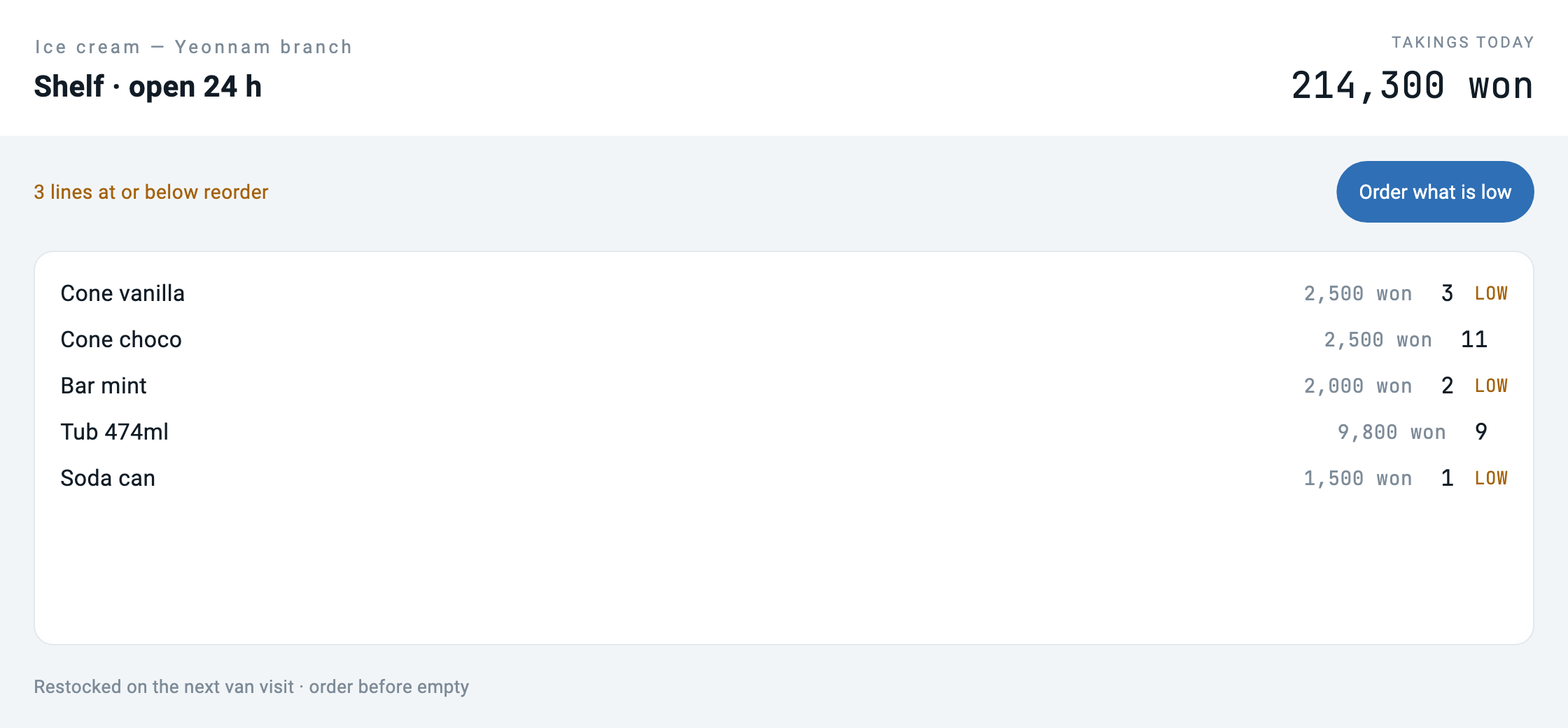
「What needs a visit」を押すと同じフォルダの別の画面へ行く。
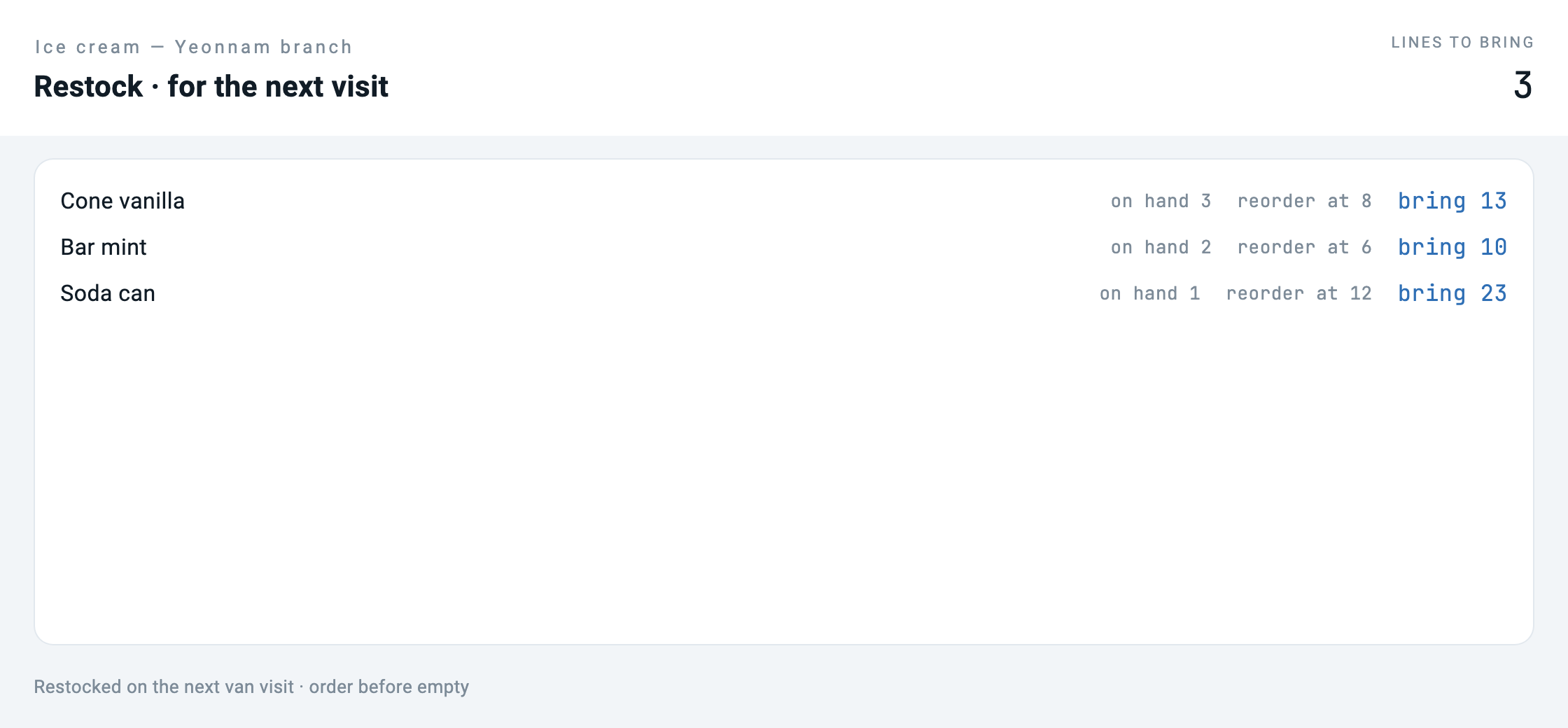
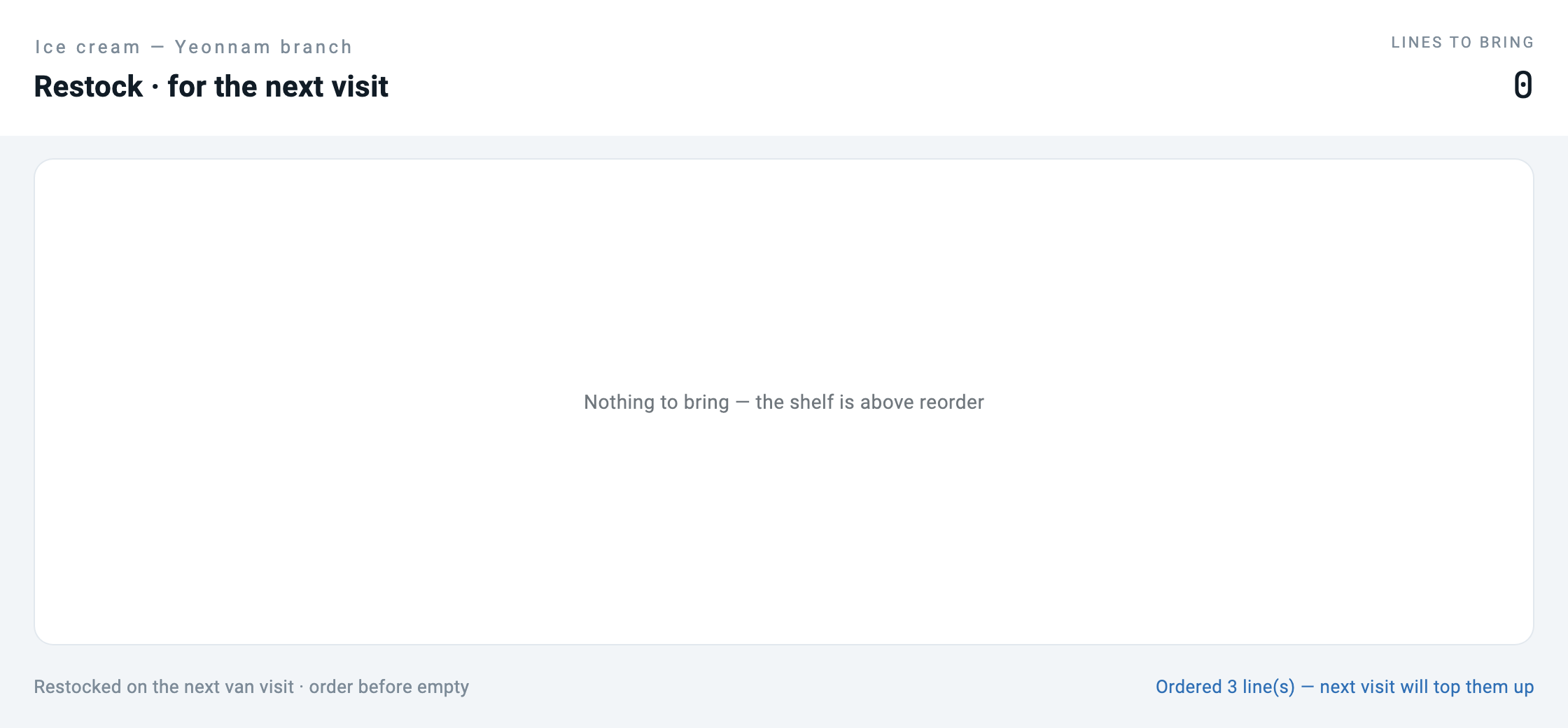
bring N「Order the lot」を押すと一覧が空になる。
ここでJSONを直して回し直す。 コンパイラは実行されなかった。
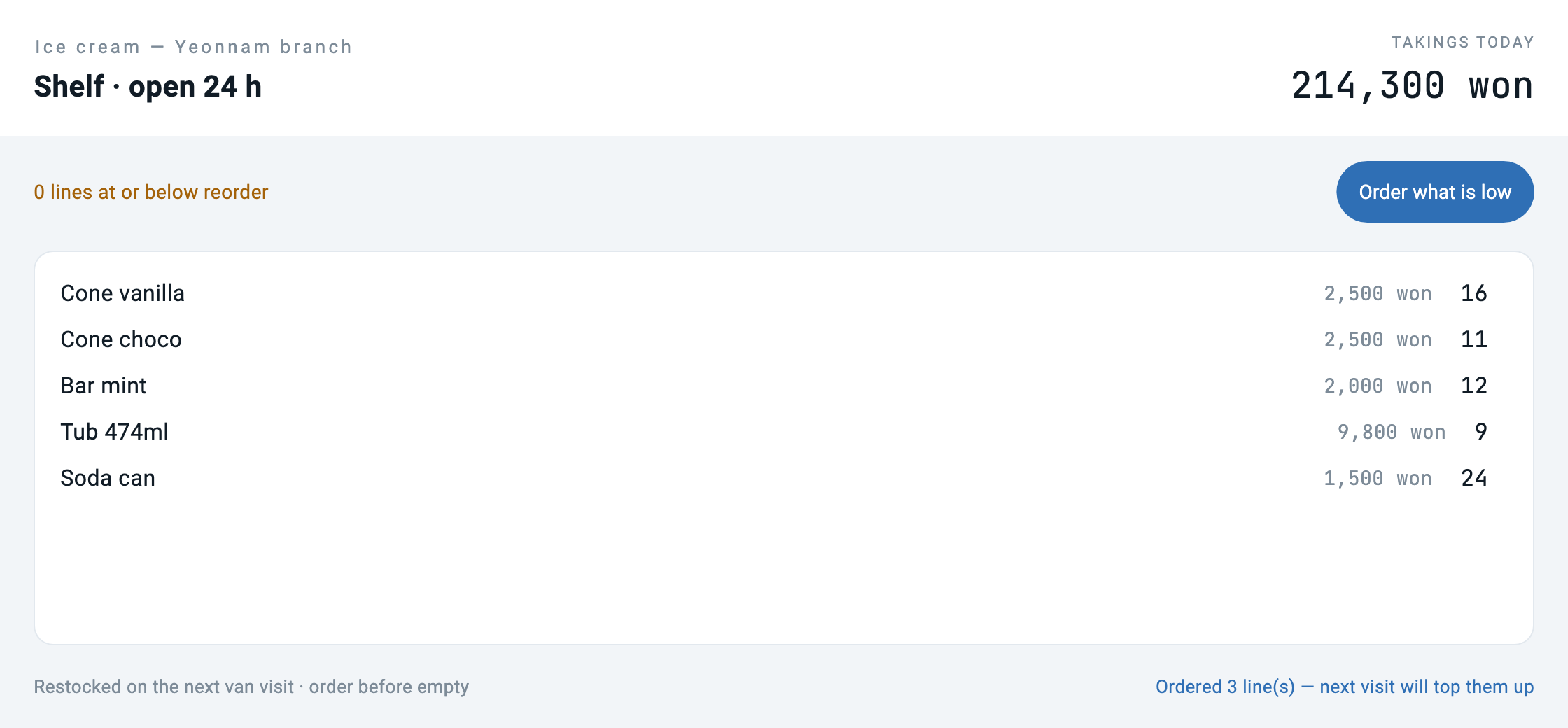
最後の画面をよく見てほしい。ラベルはクリーニング店になったのに品目は依然としてアイスクリームだ。半分だけ変わったこの画面が、この編で最も重要な絵だ。後でまた戻ってくる。
バンドルとは何か
manifest.json はこのアプリが誰であるかを言う。コードではなく身元だ。
{
  "schemaVersion": "1.0.0",
  "manifest": {
    "id": "com.makemind.sample.unmanned_store",
    "name": "Unmanned Store",
    "type": "application",
    "entryPoint": "ui.app",
    "description": "What the owner of an unmanned store sees: stock, takings and what needs a visit. No code, only declarations.",
    "category": "business",
    "tags": ["retail", "unmanned", "sample"]
  }
}
ui/app.json は画面の地図だ。
{
  "type": "application",
  "title": "Unmanned Store",
  "initialRoute": "/",
  "routes": {
    "/": "ui://pages/main",
    "/restock": "ui://pages/restock"
  }
}
そしてページひとつひとつが画面だ。ボタンが何をするかもここに書かれる — 関数名ではなく道具の名前で。
{
  "type": "button",
  "label": "What needs a visit",
  "variant": "elevated",
  "onTap": { "type": "navigation", "action": "push", "route": "/restock" }
},
{
  "type": "button",
  "label": "Refresh",
  "variant": "outlined",
  "onTap": { "type": "tool", "tool": "store.today", "params": {} }
}
ローダは40行だ
バンドルを読むコードの全部だ。短い理由は形式がそれ以上を要求しないからだ — ランタイムはすでに画面定義を描けるし、バンドルは画面定義に目次を付けたものだ。
factory Bundle.load(String path) {
  final root = Directory(path);
  if (!root.existsSync()) throw ArgumentError('no bundle at $path');
  final manifest = _readJson(File('${root.path}/manifest.json'));
  final app = _readJson(File('${root.path}/ui/app.json'));

  final pages = <String, Map<String, dynamic>>{};
  final pageDir = Directory('${root.path}/ui/pages');
  if (pageDir.existsSync()) {
    for (final f in pageDir.listSync().whereType<File>()) {
      if (!f.path.endsWith('.json')) continue;
      final name = f.uri.pathSegments.last.replaceAll('.json', '');
      pages['ui://pages/$name'] = _readJson(f);
    }
  }
  return Bundle._(root, manifest, app, pages);
}ルートを解くところで一つ意図的にやっていることがある。ないページを指すルートは投げる。
/// The screen behind a route. Throws rather than returning null: a route in
/// `app.json` that points at a page nobody wrote is a broken bundle, and
/// finding that out at load time beats finding it out when a user taps.
Map<String, dynamic> screenFor(String route) {
  final uri = routes[route];
  if (uri == null) throw ArgumentError('no route "$route" in ${app['title']}');
  final page = _pages[uri];
  if (page == null) throw StateError('route "$route" points at $uri, missing');
  return page;
}
検証スクリプトも同じものを見る。バンドルが出ていく前にルートが全部解けるか確認する。
# ビルド段階があればこの記事の論旨が崩れるので、まずビルドするものがないか見る
BUILDISH=$(find unmanned_store.mbd -type f ! -name '*.json' | wc -l | tr -d ' ')
[ "$BUILDISH" -eq 0 ] || { echo "bundle contains non-json files"; exit 1; }
画面を移れば状態を入れ直さなければならない
最初に回したとき二枚目の画面が空だった。 ログにははっきり low=3 と出ているのにキャプチャは「Nothing is low. No trip needed today.」だった。
原因は形式の中にあった。ページごとに自分の initialState を持っている。
"initialState": { "low": [], "lowCount": 0, "notice": "" }ルートを移れば新しい画面が自分の初期値で始まる。前の画面が受け取ったデータは付いてこない。実際のアプリならページのライフサイクルが進入時に埋め、ここではホストが明示的に埋める。
await go('/restock');
// The page declares its own initialState, so on arrival it is empty until
// somebody fills it. In a shipped app the page lifecycle would do this on
// ready; here the host does it explicitly. Skip it and you get a screenshot
// of an empty list next to a log saying three are short.
await callTool('store.today');
await shoot('02_restock');検証にも入れた。ログと絵が食い違えば失敗する。
# restock の画面は撮られる前に埋まっていなければならない — さもないと
# ログは三つ足りないと言うのにキャプチャは空の一覧という状態が残る
grep -A1 'route "/restock"' captures/run.log | grep -q 'low=3' \
  || { echo "the restock screen was captured without its data"; exit 1; }