到目前为止,这个系列的样例全都把画面文件放在应用旁边。.mbd 文件夹随客户端一起分发。
两者的主人是同一个人时,这么做是对的。 改画面的人和发布应用的人是同一个人。
问题在于画面的主人不是应用的主人的时候。
- 挂在大堂的显示屏 — 物业管理者想改画面
- 连锁门店的看板 — 总部来改,店主不碰
- 厂商出货的面板 — 画面是厂商的,应用是集成商的
这些情况下,把画面放进应用里,就意味着每改一次画面就得重新发布一次应用。 而那次发布,想改画面的人做不了。
客户端什么都不持有
client ships: no library files at all, and no lib/ directory
server offers: ui://board, data://board这个样例的客户端连 lib/ 目录本身都没有。 也没有 .mbd 包。客户端这一侧,一份描述画面的文件都没有。
验证守住这一点。
STRAY=$(find bundle_host -name '*.json' -not -path '*/.dart_tool/*' -not -path '*/build/*' -not -name 'package_config.json' | wc -l | tr -d ' ')
[ "$STRAY" -eq 0 ] || { echo "   $STRAY json file(s) on the client — it is not screenless"; exit 1; }
[ ! -d bundle_host/lib ] || { echo "   the client has a lib/ — it should need none"; exit 1; }
MBD=$(find . -maxdepth 1 -name '*.mbd' | wc -l | tr -d ' ')
[ "$MBD" -eq 0 ] || { echo "   there is a bundle here — this sample serves the screen instead"; exit 1; }
这个检查就是这一篇的全部。以后谁「图方便」在客户端放了一个画面,它当场就失败。
服务器把画面当资源拿出来
// The screen itself, as a resource. A client that can read this needs to
// ship nothing.
server.addResource(
  uri: _screenUri,
  name: 'Board screen',
  description: 'The screen definition this board should draw',
  mimeType: 'application/json',
  handler: (uri, params) async => ReadResourceResult(
    contents: [
      ResourceContentInfo(
        uri: _screenUri,
        mimeType: 'application/json',
        text: File(_live).readAsStringSync(),
      ),
    ],
  ),
);画面和数据是两个不同的资源。ui://board 和 data://board。
分开的理由是更新频率不同。价格一天要变好几次,布局一个季度变一次。绑在一起,改一个价格整套布局就得重新下来一遍。
第一个画面
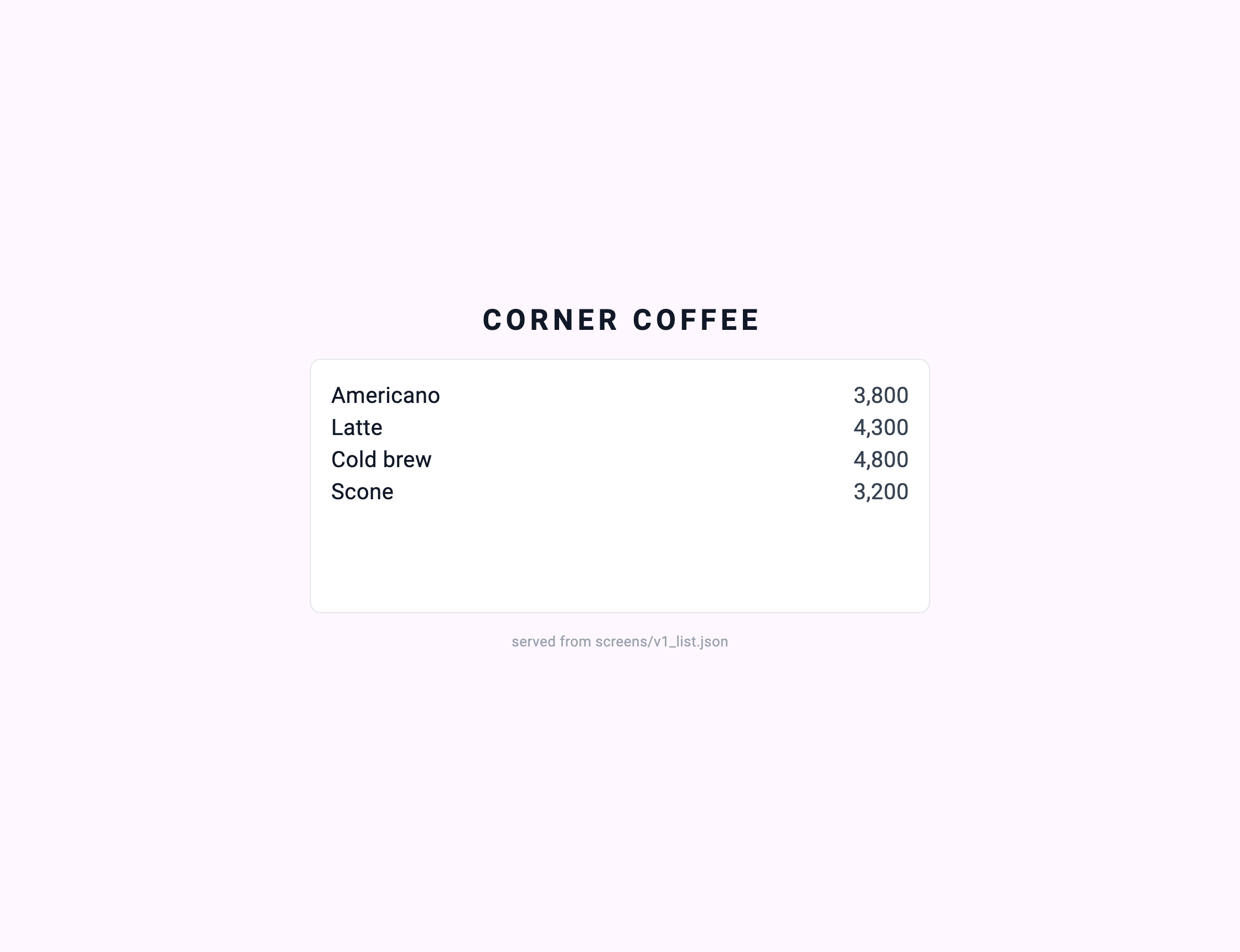
served from screens/v1_list.jsondrew "Board v1" (sha256:592cd36cd4d0, 59 lines) — generation 1客户端是第一次见到这个画面。 它的代码里既没有「Americano」,也没有「价格右对齐」。