此前的五篇全是代码。C 固件、Dart 服务器、Flutter 客户端。每次都有编译在跑。
这一篇没有编译。我们要做无人店铺店主看到的应用,而源码是四个 JSON 文件。
unmanned_store.mbd/
  manifest.json            它是谁
  ui/app.json              路由
  ui/pages/main.json       画面一
  ui/pages/restock.json    画面二
而且在这篇的后半,我们会真的跑一遍「改了那些 JSON 应用就变」。构建不会运行。
先看结果
店主看到的第一个画面。今天的营业额和库存,以及有几样需要补货。
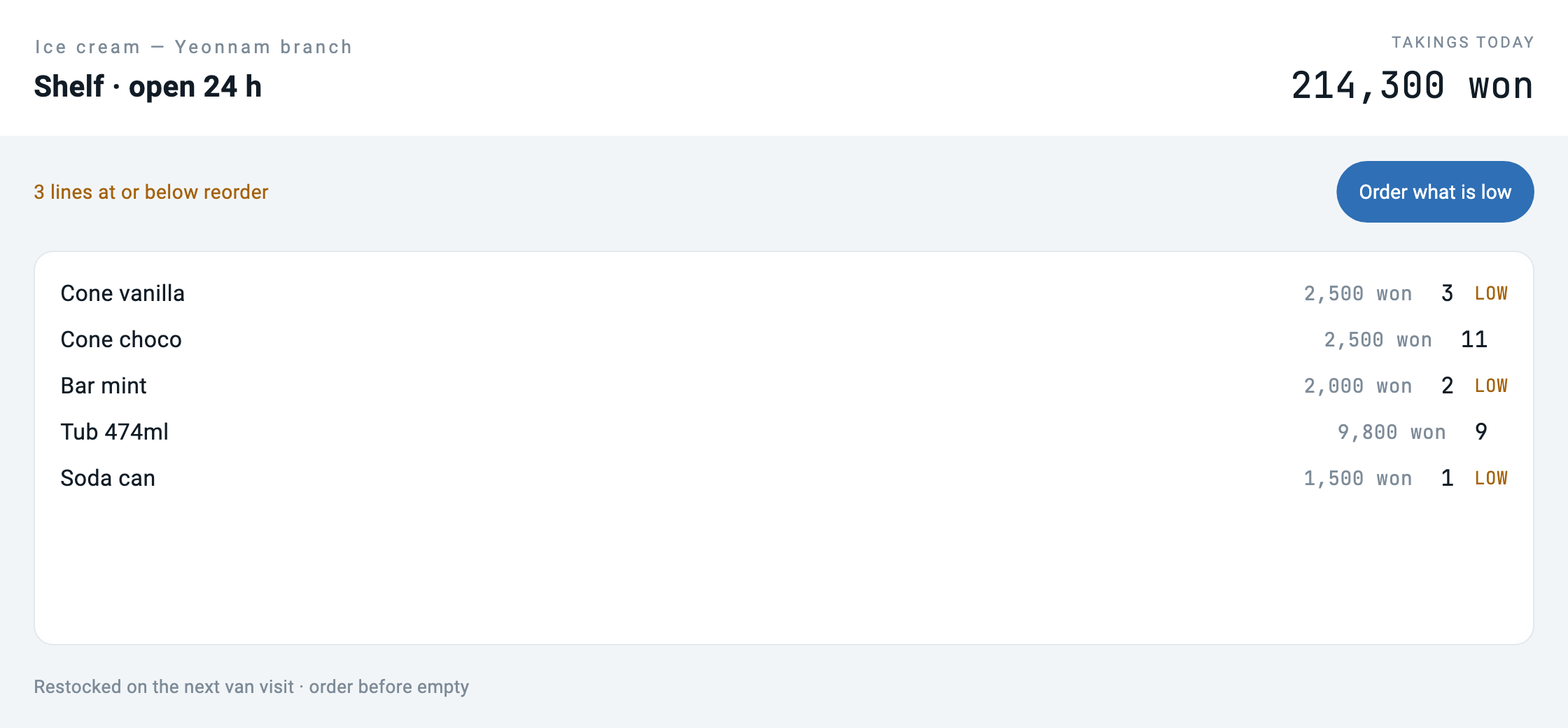
按下「What needs a visit」,就跳到同一个文件夹里的另一个画面。
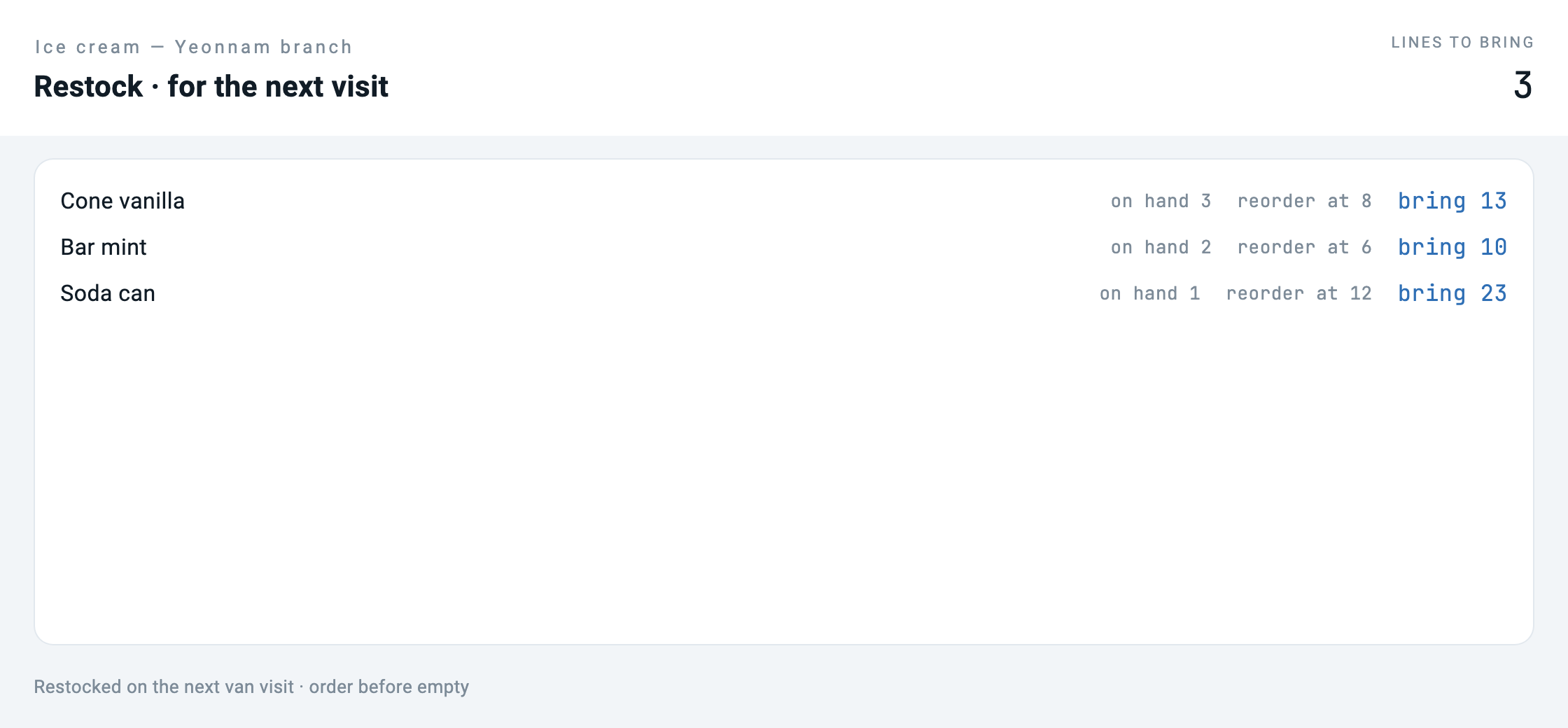
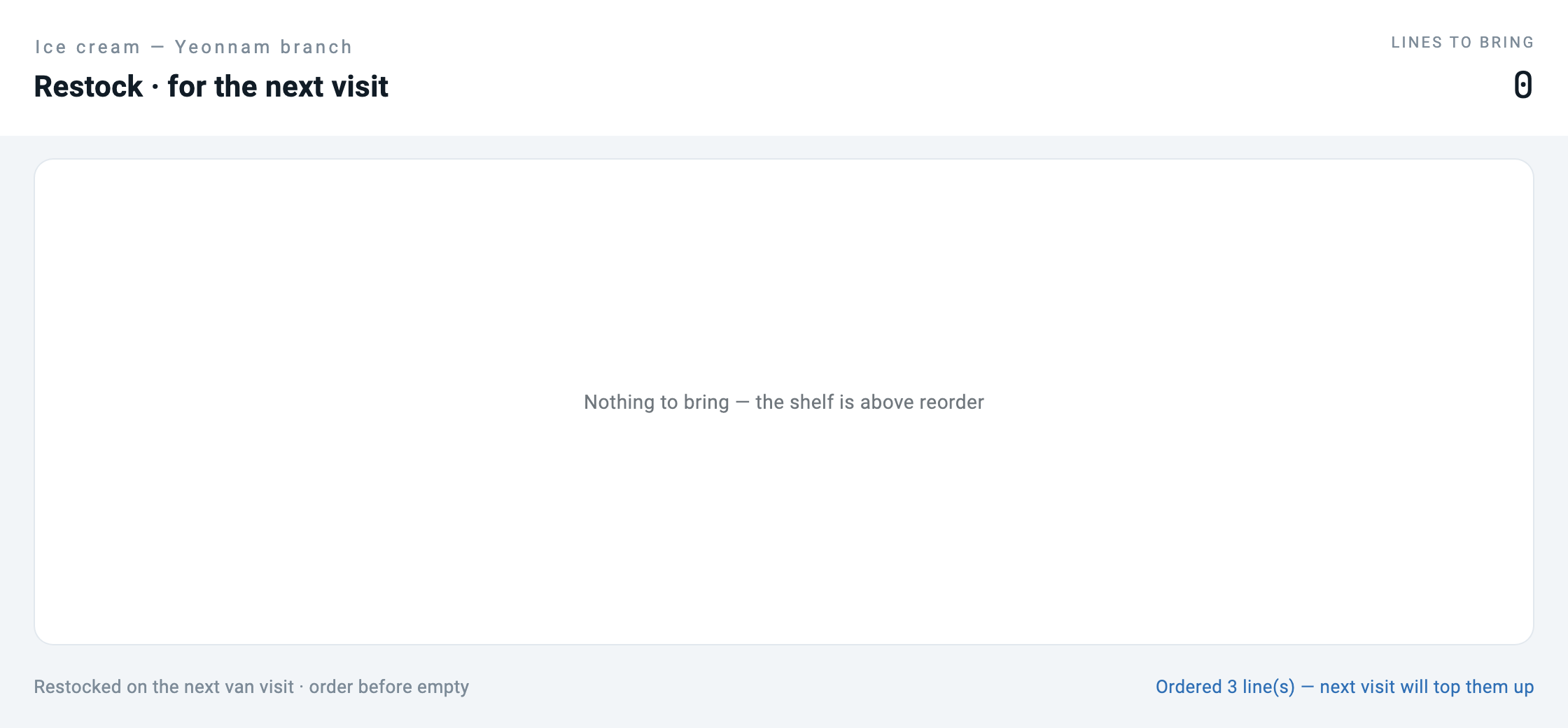
bring N按下「Order the lot」,列表清空。
现在我们改 JSON 再跑一次。 编译器没有执行。
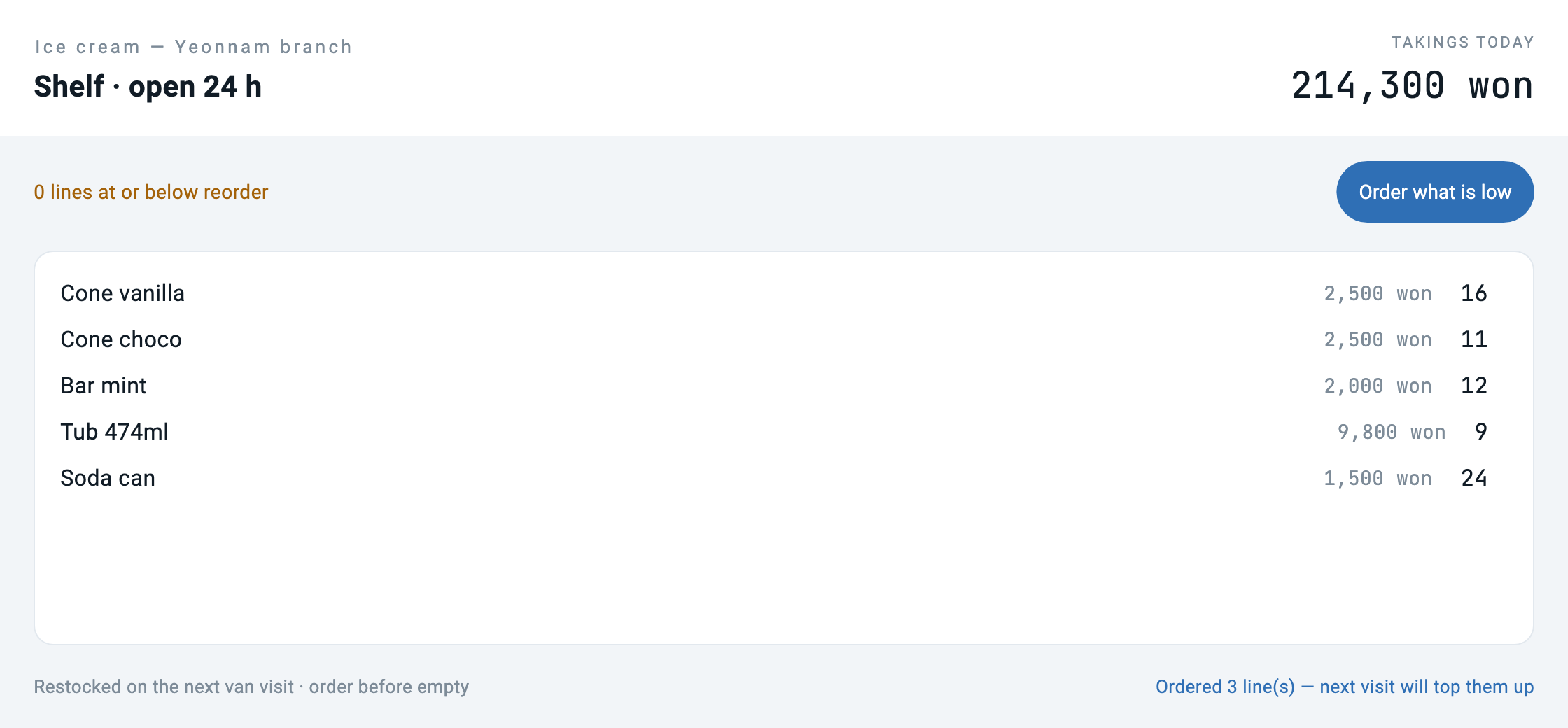
请仔细看最后这张。标签变成了洗衣店,而商品依然是冰淇淋。这个只变了一半的画面,是这一篇里最重要的一张图。后面还会回来。
包是什么
manifest.json 说明这个应用是谁。不是代码,是身份。
{
  "schemaVersion": "1.0.0",
  "manifest": {
    "id": "com.makemind.sample.unmanned_store",
    "name": "Unmanned Store",
    "type": "application",
    "entryPoint": "ui.app",
    "description": "What the owner of an unmanned store sees: stock, takings and what needs a visit. No code, only declarations.",
    "category": "business",
    "tags": ["retail", "unmanned", "sample"]
  }
}
ui/app.json 是画面的地图。
{
  "type": "application",
  "title": "Unmanned Store",
  "initialRoute": "/",
  "routes": {
    "/": "ui://pages/main",
    "/restock": "ui://pages/restock"
  }
}
而每一个页面就是一个画面。按钮做什么也写在这里 — 不是函数名,而是工具名。
{
  "type": "button",
  "label": "What needs a visit",
  "variant": "elevated",
  "onTap": { "type": "navigation", "action": "push", "route": "/restock" }
},
{
  "type": "button",
  "label": "Refresh",
  "variant": "outlined",
  "onTap": { "type": "tool", "tool": "store.today", "params": {} }
}
加载器是四十行
读取包的代码全在这儿。之所以短,是因为这个格式不要求更多 — 运行时本来就会画画面定义,而包不过是给画面定义加了一份目录。
factory Bundle.load(String path) {
  final root = Directory(path);
  if (!root.existsSync()) throw ArgumentError('no bundle at $path');
  final manifest = _readJson(File('${root.path}/manifest.json'));
  final app = _readJson(File('${root.path}/ui/app.json'));

  final pages = <String, Map<String, dynamic>>{};
  final pageDir = Directory('${root.path}/ui/pages');
  if (pageDir.existsSync()) {
    for (final f in pageDir.listSync().whereType<File>()) {
      if (!f.path.endsWith('.json')) continue;
      final name = f.uri.pathSegments.last.replaceAll('.json', '');
      pages['ui://pages/$name'] = _readJson(f);
    }
  }
  return Bundle._(root, manifest, app, pages);
}在解析路由的地方,我们刻意做了一件事。指向不存在页面的路由会抛异常。
/// The screen behind a route. Throws rather than returning null: a route in
/// `app.json` that points at a page nobody wrote is a broken bundle, and
/// finding that out at load time beats finding it out when a user taps.
Map<String, dynamic> screenFor(String route) {
  final uri = routes[route];
  if (uri == null) throw ArgumentError('no route "$route" in ${app['title']}');
  final page = _pages[uri];
  if (page == null) throw StateError('route "$route" points at $uri, missing');
  return page;
}
验证脚本看的也是同一件事。包发出去之前,先确认所有路由都能解开。
# 只要有构建步骤,这篇文章的论点就垮了,所以先看有没有可构建的东西
BUILDISH=$(find unmanned_store.mbd -type f ! -name '*.json' | wc -l | tr -d ' ')
[ "$BUILDISH" -eq 0 ] || { echo "bundle contains non-json files"; exit 1; }
换了画面就得把状态重新填一遍
第一次跑的时候第二个画面是空的。 日志里明明写着 low=3,截图却是「Nothing is low. No trip needed today.」
原因在格式里面。每个页面都带着自己的 initialState。
"initialState": { "low": [], "lowCount": 0, "notice": "" }一换路由,新画面就从自己的初始值开始。上一个画面收到的数据不会跟过来。真实应用里由页面生命周期在进入时填上,这里则由宿主显式地填。
await go('/restock');
// The page declares its own initialState, so on arrival it is empty until
// somebody fills it. In a shipped app the page lifecycle would do this on
// ready; here the host does it explicitly. Skip it and you get a screenshot
// of an empty list next to a log saying three are short.
await callTool('store.today');
await shoot('02_restock');也放进了验证。日志和图对不上就判失败。
# restock 画面在被拍下之前必须已经填好 — 否则就会留下「日志说缺三样、
# 截图却是空列表」的状态
grep -A1 'route "/restock"' captures/run.log | grep -q 'low=3' \
  || { echo "the restock screen was captured without its data"; exit 1; }