This piece has an evidence version. The same subject was made again, with running code and screens that were actually rendered — What You Do Not Expose Protects the App — Every Server Is an App, and What Comes After. This one is left as it was written.
Somewhere on your desk, or in a corner of a factory, or inside an anonymous rack in the cloud — something runs, quietly. It takes down orders, counts inventory, reads temperatures, records dues. It has no icon, isn't in a store, and no one boasts of having "tried it." We call it a server and have treated it as a species wholly apart from an app. And yet this piece pushes one sentence forward, head-on — that quiet thing was, in fact, an app. From the start.
In past volumes we kept seeing servers define screens. On a panel, on a chip, on an instrument. Each was a case of "this works on this device too." This volume faces, head-on, the one sentence all those cases point to. A sentence so simple it's easy to walk right past. Every server is an app.
If this sentence sounds like a joke, that's because we've held "app" and "server" to be such different things. One a tangible icon, the other an unseen machine. This piece peels back, layer by layer, to show that the two were really two faces of the same thing. And at the end it looks at what becomes dangerous after the two become one — and so at what must not be offered. This isn't a piece that ends with a single equals sign.
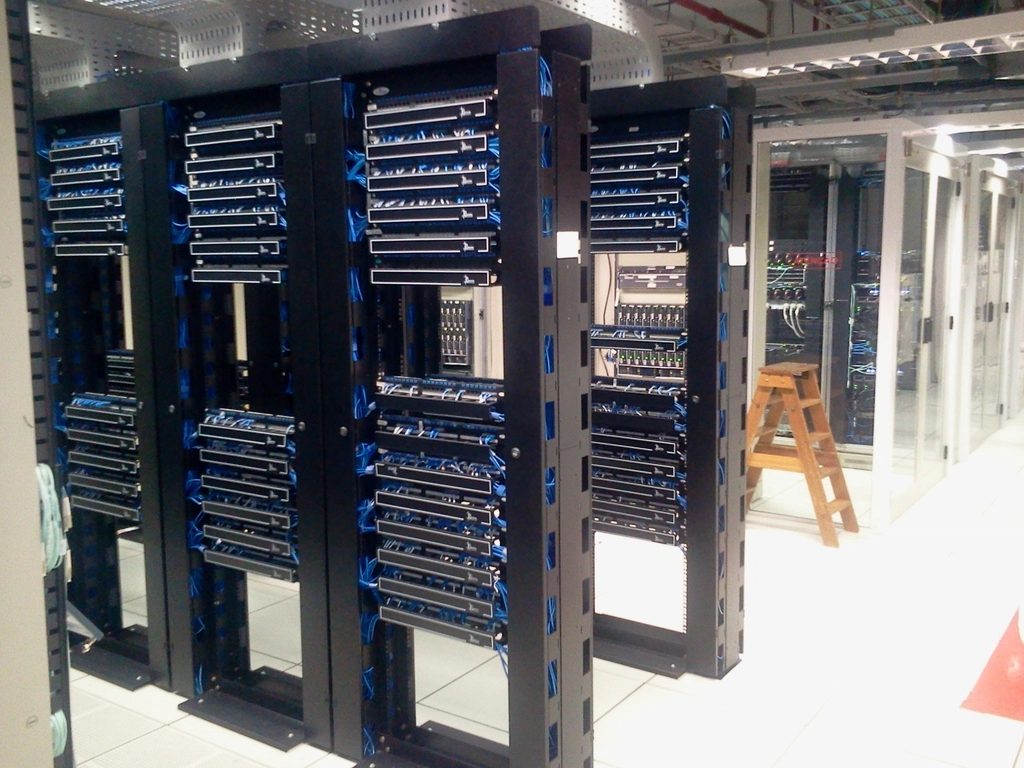
What is an app — stripping away the shell
First we must ask. What is an app? We picture an app as an icon, as something you get from a store, as something installed on a device. But that's the app's means of delivery, not its essence. Just as the letters printed on paper aren't the essence of a book, the procedure of being installed and getting an icon is merely how an app arrives in our hands.
Strip away the technical shell, and an app is something that does three things. What to show (the screen), what it can do (tools, functions), what it remembers (data). A screen appears, pressing a button makes something happen, and the result is kept somewhere. Camera app, banking app, notes app — the essence is the combination of these three. Screen, tools, data.
Hold these three and look around the world again, and suddenly many things start to look like apps. A restaurant kiosk: it shows the menu (screen), places the order (tool), and remembers what was ordered (data). A car's dashboard: it shows the speed, switches the mode, keeps a driving log. We just didn't call them "apps," but the combination of screen, tools, and data was everywhere. So the question naturally flips. Why is only some combination called an app, and another not?
The server already had two of them
Now look at a server. What does a well-built server do? It exposes what it can do as functions — "create an order," "look up inventory," "authenticate this user." And it holds data — the order list, the inventory count, the member roster. When a request comes, it answers. The thing we've spent decades calling a "backend" and hidden behind the screen.
Stop here. Two of an app's three things, a server was already doing. It has tools (functions), and it has data (storage). The one missing thing was the screen. A server was two-thirds of an app. The only reason we didn't call it an app was that it had no face to show a person.
So we always laid a separate app on top of the server. The server provided functions and data from behind; the app drew the screen out front. The two were different projects, lived in different repositories, were sometimes built by different teams, and the code that joined them — API calls, response parsing, screen refresh, error handling, loading states — was yet another layer to write. The same concept of an "order" was expressed once in the server code, once again in the app code, and once more in the connecting code between — three times. Add one field and you had to fix three places. Change one name and you risked three places drifting apart. This triple duplication lay heavy at the bottom of all app development. We called it "the work" and took it for granted.
When the one missing thing is filled
What the server-definition approach fills is exactly that one missing thing. If a server can define and send out not just tools and data but the screen too — "show the order list on this screen, put a cancel button on each item, and when pressed call the cancel-order tool" — at that moment the server has all three of an app. It has gained a face.
It's no longer "laying an app on top of a server." The server is the app. Since screen, tools, and data are defined in one place, the duplicate code that joined the three disappears too. The concept of an "order" is expressed only once. Fix one place and the screen, the behavior, and the storage all follow. What was written three times comes to be written once — this is the equals sign's first gift.
A server was two-thirds of an app. The moment one layer of screen is added, the remaining third is filled and the equation closes. Server = app.
This small equals sign opens a large implication. Almost everything in the world already has a server. The shopping site's order server, the factory's equipment-control server, the hospital's medical-records system, a small club's dues-management script, the side project someone made over a weekend, an evaluation board blinking on a desk. The moment those servers can define a screen in an agreed way — every one of them becomes an app directly. No app to build separately, nothing to put on a store, no front end to write anew. A system that already existed becomes an app by defining one layer of screen.
Recall why most of these servers had no app, and the weight of the equation grows clearer. They had no app not for lack of capability. The club's dues script knows exactly how to calculate dues. The factory's control server knows every reading of the equipment. It's just that the cost of giving it a face — a separate app project, a designer, a store listing, the code joining both sides — was too much for those small systems to bear. So countless capable servers lived their whole lives as "something only an admin touches through a console." The equation cuts that cost down to one layer of screen definition. The things that deserved a face but couldn't afford one, at last get a face.
A scene — what to offer, and what to keep locked
It'll sound abstract, so let's draw a scene. Say in one corner of a small café's kitchen, a server runs that manages sales, inventory, and recipes. The owner built it himself — not fancy, but it knows his shop exactly. This server can do many things. Take orders, deduct inventory, tally daily sales, calculate a recipe's cost, log staff clock-ins and clock-outs, and — delete the entire database.
The moment this server becomes an app, the owner has to make one decision. What to offer as tools. For the screen to show on the counter's tablet, he opens "take order" and "look up inventory" as tools. Buttons for the clerks to press. But "tally daily sales" he opens only on his own screen — not for clerks to see. And "delete the database" he offers on no screen, as no tool. That capability stays inside the server, but does not exist above the surface. With no button, it can't be pressed; with no tool, it can't be called.
Here is this piece's second knot. A server becoming an app doesn't mean all of the server's capabilities are exposed on the screen. Just the opposite. Becoming an app is the work of deciding which of those many capabilities to put on the surface and which to keep locked. Putting a "refund" button on the kiosk but not "change prices across all stores at once." That choice is the shape of the app, and at the same time the app's safety.
And this decision isn't made once. Depending on whose screen the same server becomes an app for, the line of what to open and lock shifts. A screen for the clerk's tablet, a screen for the owner's phone, a screen opened briefly for the accountant — pick different sets of tools from the same server, the same pile of capabilities, and one server becomes several apps. "Look up all-staff payroll" on the owner's screen only; "my clock-in record" on the clerk's screen only. On one quiet machine, a different face surfaces for each viewer. What you choose as tools decides that face.
What you don't offer as a tool defines the app as much as what you do.
The agreed language is the key
Here, the "agreed way" is everything. Server and device must speak the same language. A common convention for what counts as a screen, how the kinds of widgets are decided, how a tool is called, and what shape data is passed back and forth in. Without this convention, each server would again define its screen in its own way, and then — as SDUI did — we'd be back to a closed system that "only works in that company's app." If a screen defined by the café's server could be drawn only by a device the café made, that's just the old way with a new name.
Only when the convention isn't trapped inside one company but is open does "any server, on any device, defines and sends a screen" hold. The screen defined by the server the café owner made is drawn by a general-purpose runtime on an ordinary tablet he bought at a store. The two don't know each other. The tablet wasn't made for the café's server, and the server doesn't know the tablet's model. Yet because they speak the same language, it works. This is exactly the principle by which a browser draws any company's server's HTML. This is why this magazine keeps talking about an open common language — because it is the lingua franca between server and device. makemind's runtime simply stands on the side that draws that lingua franca.
Let's make one thing clear here. This "agreed language" is no grand new programming language. It's closer to a structured description that sets down "a title here, a button below it, and when the button is pressed, call this tool." Just as HTML was not a programming language but an agreement for writing a document's structure. So anyone who knows how to build a server already knows eight-tenths of that language — because they already know what their server can do.
An open surface needs a boundary
But a server becoming an app isn't all good. Weight comes with it. Opening a surface means opening, along with it, the threats aimed at that surface.
Sending out a screen means taking on responsibility too. What may and may not be shown. Who is entitled to receive that screen. When a server is malicious or breached, how far it can endanger the receiving device. As much as the surface is opened, the boundary that guards that surface must be open to the same degree. There are two kinds of boundary here, and distinguishing them matters.
First, the receiving side's boundary — the runtime validates the definition. The device's runtime does not trust the definition it receives. What the screen definition sent by the server can do is bound inside a fence the runtime sets — not arbitrary code execution, but only combinations of predetermined widgets and tools. There's no way for a server to say "run this code on the device." It can only say "lay out these widgets this way, and when pressed, call this one of the tools you have." It's the same idea as a browser running an arbitrary site's JavaScript only inside a sandbox. The worst a malicious server can send still cannot exceed the range of widgets and tools the runtime allows.
Second, the sending side's boundary — what you don't make into a tool. This is more subtle, and more fundamental. As we saw in the café scene, leaving a capability inviolable by not making it a tool in the first place. If "delete the database" isn't on the tool list, then no matter how the screen is manipulated, no matter how the definition is tampered with, that thing cannot happen. A button that doesn't exist can't be breached. This isn't a matter of defense by code, but of design — deciding what to put on the surface. The strongest security isn't blocking; it's laying no path in the first place.
This second boundary is this volume's real theme. When a server becomes an app, we naturally think "what to show, what to let people press." But just as important a question sits beside it — what, in the end, not to make into a tool. Answering that question is half the work of making a server into an app.
Not every server becomes a good app
This far is the vision. Let's make a few things clear.
*"Server = app" is not automatic.** A server having tools and data doesn't mean a good screen appears on its own. Someone still has to design "what to show on this screen, in what flow it leads on." What the equation removes is the duplication of connecting code, not the work of design itself. Even a well-built server, if its screen design is sloppy, becomes a sloppy app. This shift doesn't remove labor; it changes the kind* of labor — turning the time once spent joining plumbing into time spent thinking about the screen.
Not everything deserves a screen. Some servers' proper role is to speak only with other servers. There's no reason to force a face onto something that never needed a screen a person sees. "Can be" isn't "should be." A screen is needed only where a person must be met.
Existing systems don't transform overnight. A decades-old server doesn't come to speak the agreed language in a day. It needs the thin but distinct layer of work — organizing the server's capabilities into the shape of tools, and deciding which to open and which to lock. But that one layer is, compared to writing a whole separate app from scratch, incomparably thin. That difference is what we mean when we say we reduce the work.
Next
So in this volume we see servers becoming apps while keeping inviolable boundaries. A black box that touches not a single frame of the video, opening only the surrounding logs and settings as a screen — a case of keeping integrity by not making a video-editing tool at all. And a doctor's tool that leaves diagnosis to the person while organizing only the flow of a visit into a screen — a case of keeping the authority of judgment outside the tools. In both cases, the emphasis falls in the same place. Not what was made into a tool, but what, in the end, was not made.
Even when a server becomes an app, what must not be touched is left as is. Not putting every capability on the surface, but the hand that divides what to put up from what to keep locked — that is what at last makes a quiet machine an app. The place where what not to make into a tool becomes a design as important as what to make. We'll see, in the pieces ahead, the place where that anonymous machine blinking on a desk becomes an app that has a face yet doesn't open carelessly.
makemind.dev "Horizon" — This piece opens the volume "Every Server Is an App." We watch the place where a server becomes an app, alongside the boundary that must not be crossed.