A shop till has a "void sale" button. Only the manager should press it.
The usual approach: if the person logged in is an assistant, do not draw that button.
And that gets called authorisation. It is not.
Not drawing it stops nothing
Not drawing the button stops one path — the one where pressing that button sends the request. Requests can come from elsewhere. The screen definition can be edited, or the tool can be called with no screen at all. The screen is a client, and the client is somebody else's.
So this sample does the opposite. It shows the buttons to both of them.
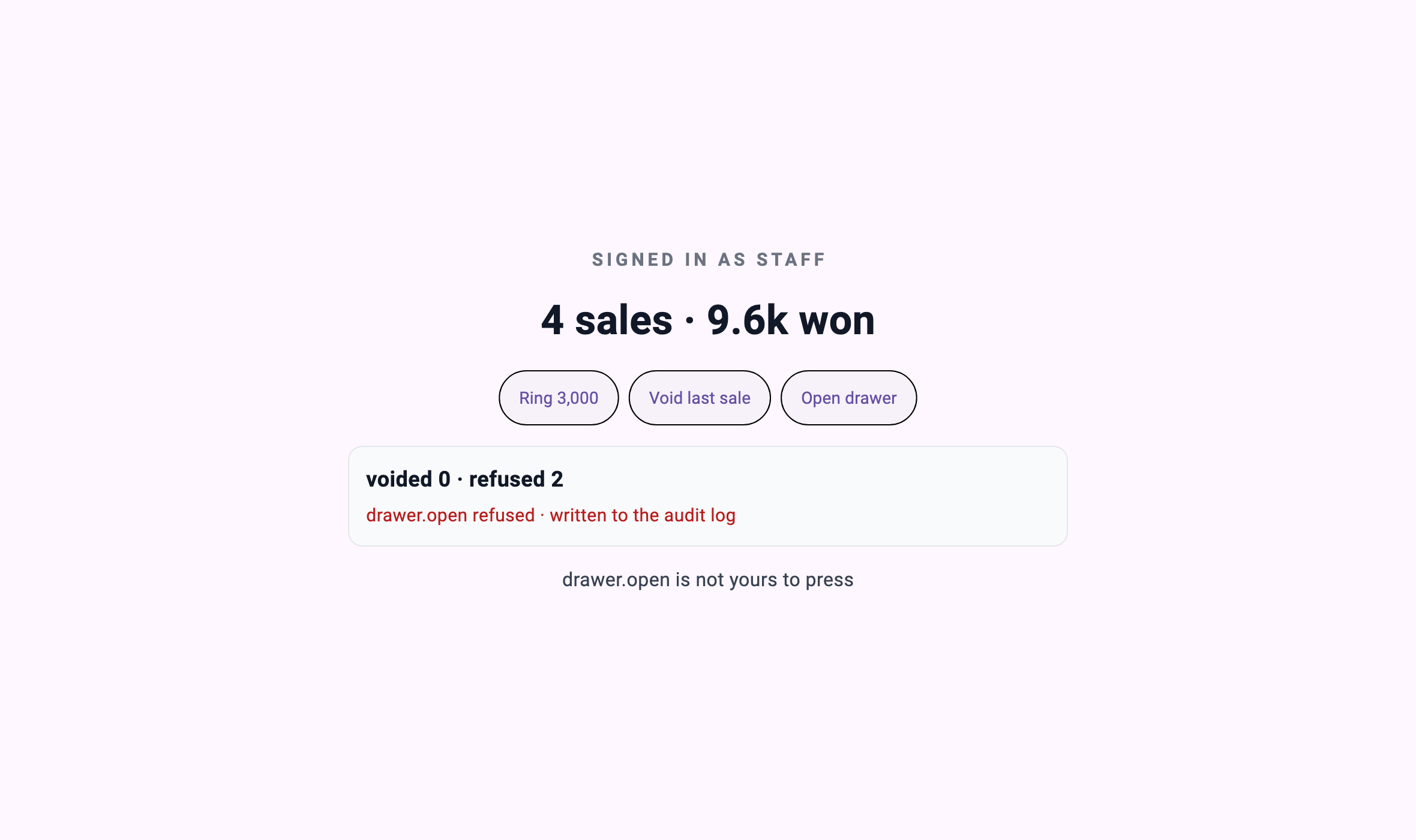
This is the assistant's screen. "Void last sale" and "Open drawer" are both right there. They can be pressed.
Pressing them goes like this.
[staff] sale.ring   -> "rang 3000"                        (sales=4 voided=0 refused=0)
[staff] sale.void   -> "sale.void is not yours to press"  (sales=4 voided=0 refused=1)
[staff] drawer.open -> "drawer.open is not yours to press"(sales=4 voided=0 refused=2)
The sale went through and the void did not. The screen did not block it; the server did not do it.
The manager opens the same screen
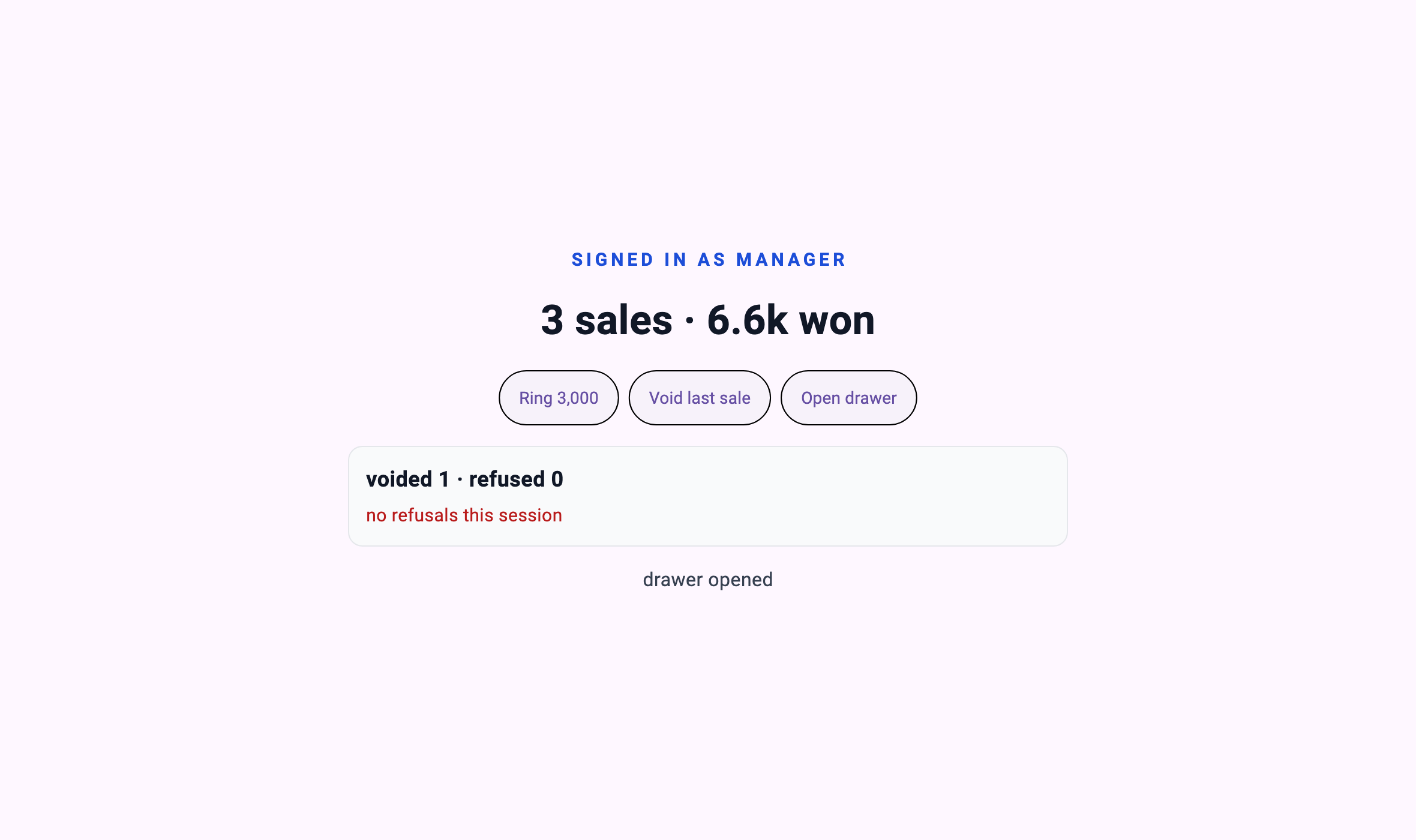
[manager] sale.ring   -> "rang 3000"     (sales=4 voided=0 refused=0)
[manager] sale.void   -> "voided 3000"   (sales=3 voided=1 refused=0)
[manager] drawer.open -> "drawer opened" (sales=3 voided=1 refused=0)
Same buttons, same order, different results.
And the screen file is the same file. That is this piece's claim, so the harness prints the hash.
screen ui/pages/register.json sha256:72288a2c655a — one file, both roles
the screen offers 3 buttons and shows all of them to everyone
A role is not an argument
This is the only design decision in this sample.
/// Who this session is. Fixed for its lifetime, never taken from a call.
final String role;
Suppose sale.void took role as an argument.
sale.void { "role": "manager" }Then anybody who can call it can say they are the manager. At that moment the only thing genuinely stopping them is that the screen does not send that value, and we are back to "do not draw the button".
So the role is fixed when the session opens. In this sample by a launch argument; in a real deployment by whatever that connection authenticated as.
final role = args
    .firstWhere((a) => a.startsWith('--role='), orElse: () => '--role=staff')
    .substring('--role='.length);
The screen does not send a role. It could not if it wanted to.
The verification protects that — if a role name appears in the screen definition, it fails.
# The screen may *display* the role it was told. It must never name one — the
# moment "manager" or "staff" appears in a screen definition, some branch is
# being decided in the wrong place.
if grep -qiE '"[^"]*(manager|staff)' register.mbd/ui/pages/register.json; then
  echo "   the screen definition names a role — the rule has leaked out of the tool"
  exit 1
fi
The screen displays {{role}}. That is drawing what the server told it, and it decides nothing.
This content requires Developer or above
Sign in and upgrade your plan to continue reading.
View Plans