The hardware in the earlier pieces was all simulators. Written in C, really compiled and really run — but there was no glass, no soil, no vehicle. It was written down that way every time.
Not this time. Two boards are actually plugged in on the desk. One on a USB cable, one across Wi-Fi.
And this piece's argument is how different the two are to attach, and how identical everything is afterwards.
The result first — the screens the boards handed over
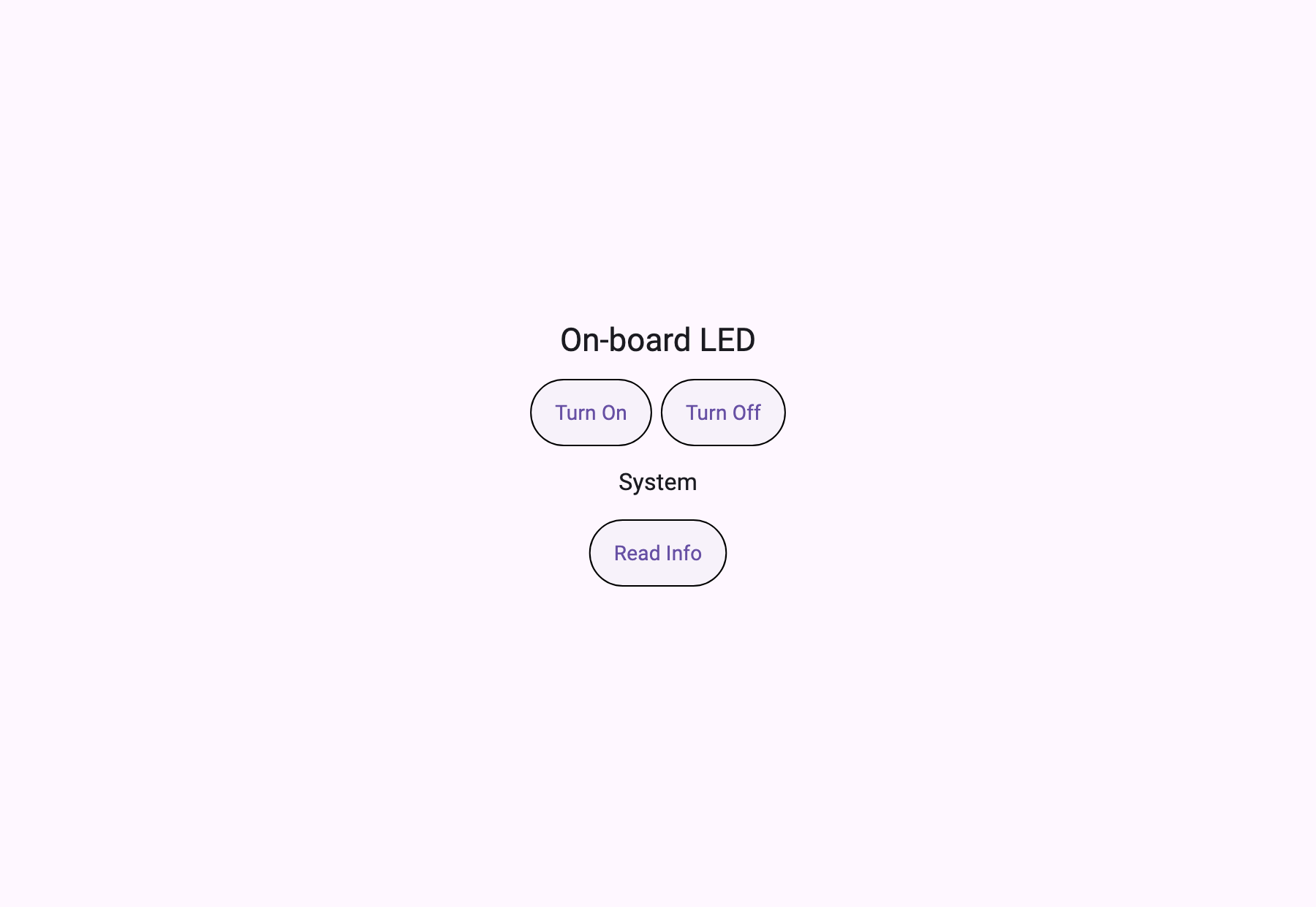
The screen handed over by the WeAct H723 (STM32H7) on USB serial.
The screen handed over by the ESP32, found by mDNS and attached over Wi-Fi TCP. Same client, considerably more on it.
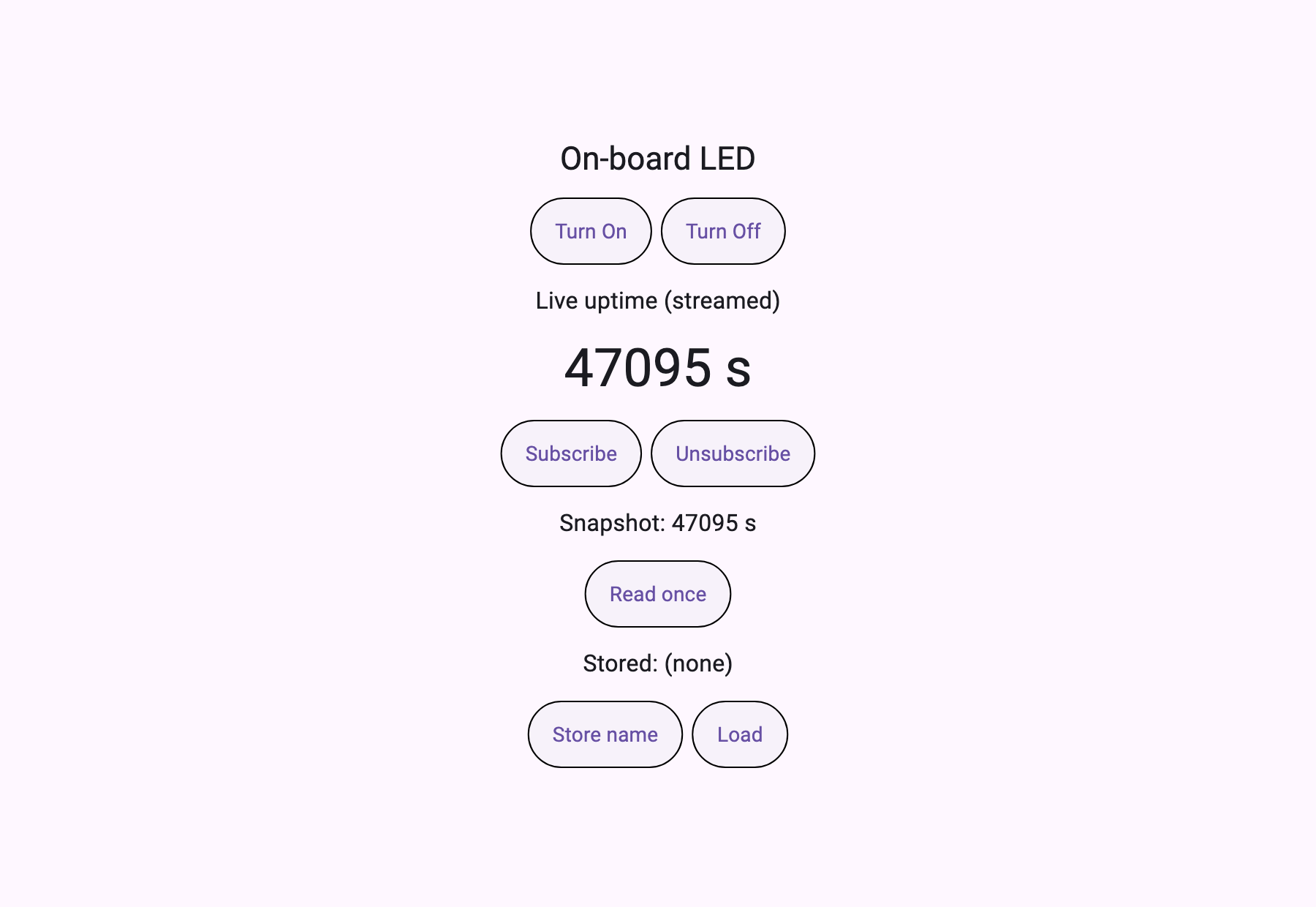
Neither screen exists in this repository. The boards handed them over.
The whole picture
STM32H723 ──UART 115200──▶ serial_bridge (C) ──┐
                                                ├──stdio──▶ mcp_client + runtime
ESP32     ──Wi-Fi TCP:6270──▶ tcp_bridge  (C) ──┘            (identical on both)
              ▲
              └─ discovered via mDNS `_mcp._tcp` (nobody types an address)
① The transport is a process
An MCP client already knows how to run a command and speak over its stdio. So make the transport a process and the client needs neither serial support nor socket support.
The heart of the serial bridge is this.
struct termios tio;
tcgetattr(fd, &tio);
cfmakeraw(&tio);          /* no echo, no line editing, no CR/LF translation */
cfsetispeed(&tio, speed);
cfsetospeed(&tio, speed);
tio.c_cflag |= (CLOCAL | CREAD);
tio.c_cflag &= (tcflag_t)~CRTSCTS;
tcsetattr(fd, TCSANOW, &tio);
Without cfmakeraw the terminal driver edits lines and inserts CRs, and the JSON breaks. A good share of "why does parsing fail sometimes" in embedded work lives right here.
On the TCP side exactly one line matters, somewhere else.
/* The request is one short line and the answer is needed now. Nagle
 * holding a segment back to fill it only adds latency for nothing. */
int one = 1;
setsockopt(fd, IPPROTO_TCP, TCP_NODELAY, &one, sizeof(one));
And there is one thing both sides do identically. The board writes human-readable logs onto the same line as the protocol.
/* The board prints human-readable logs on the same wire as its JSON-RPC
 * responses. That is not protocol and it upsets the client's parser, so
 * only lines that look like JSON pass through. The rest goes to stderr —
 * visible, but not mistakable for a response. */
if (up[0] == '{') {
    printf("%s\n", up);
    fflush(stdout);
} else {
    fprintf(stderr, "[board] %s\n", up);
}
The ESP32's provisioning console still prints lines like W (45475251) console_prov: ... onto the same UART. Without those three lines the client takes such a line as a response and dies.
② After attaching, it is the same
The difference between the two bridges is everything above. The client above them looks like this.
final result = await McpClient.createAndConnect(
  config: McpClient.simpleConfig(name: 'Board Probe', version: '1.0.0'),
  transportConfig: TransportConfig.stdio(
    command: link.command,      // serial_bridge or tcp_bridge
    arguments: link.arguments,  // [port, baud] or [host, port]
  ),
);
Choosing a transport becomes choosing which program to launch. Below that, the code does not fork.
③ Boards shape their screens differently
Here something actually had to be handled. The two boards put different things at ui://app.
The STM32 gives a page directly (656 B).
{"type":"page","title":"WeAct H723 MCP Node","content":{ ... }}The ESP32 gives an application (158 B). Not a screen but a map of screens.
{"type":"application","title":"ESP32 MCP Node",
 "routes":{"/":"ui://page/main"},"initialRoute":"/",
 "lifecycle":{"onReady":[{"type":"tool","tool":"sys.info"}]}}
So the client carries one branch.
// Boards differ in shape. One hands over a page directly; the other hands
// over an application with routes, and the first screen is behind that.
Map<String, dynamic> screen = def;
if (def['type'] == 'application') {
  final routes = (def['routes'] as Map).cast<String, dynamic>();
  final initial = def['initialRoute'] as String? ?? '/';
  final uri = routes[initial] as String;
  final page = await client.readResource(uri);
  screen = jsonDecode(page.contents.first.text!) as Map<String, dynamic>;
}
That ESP32 page is 1894 B, and it hangs a subscription on its own lifecycle.
"lifecycle":{
  "onReady":[{"type":"resource","action":"subscribe","uri":"sensor://uptime","binding":"uptime"}],
  "onDestroy":[{"type":"resource","action":"unsubscribe","uri":"sensor://uptime"}]
}
Open the screen and it subscribes to the sensor; close it and it unsubscribes. That declaration lives inside the board.
④ Nobody types an address
Attaching to the ESP32 did not involve typing an IP. The board advertises itself.
$ dns-sd -B _mcp._tcp
Timestamp     A/R Flags if Domain  Service Type   Instance Name
14:04:49.297  Add     2 15 local.  _mcp._tcp.     ESP32 MCP Node

$ dns-sd -L "ESP32 MCP Node" _mcp._tcp
ESP32 MCP Node._mcp._tcp.local. can be reached at mcp-esp32.local.:6270
 v=0.1.0 id=esp32.node proto=ndjson
The TXT record says proto=ndjson — newline-delimited JSON-RPC. The same bytes that were coming over UART. So once the socket opens there is nothing left to translate.
The verification script uses this directly. There is no hardcoded address.
RESOLVED=$(timeout 6 dns-sd -B _mcp._tcp 2>/dev/null | awk 'NR>4 {...}')
DETAIL=$(timeout 6 dns-sd -L "$RESOLVED" _mcp._tcp 2>/dev/null | grep "can be reached at")
HOSTPORT=$(echo "$DETAIL" | sed -n 's/.*can be reached at \([^ ]*\).*/\1/p' | sed 's/\.$//;s/\.:/:/')
⑤ The run log
Verbatim, from one run that exercised both links back to back.
[+     2ms] links to probe: serial, tcp
[+    33ms] [serial] connected via ../serial_bridge/serial_bridge /dev/cu.usbmodem365D395E33331 115200
[+    53ms] [serial] tools: led.set, sys.info
[+    65ms] [serial] resources: ui://app, ui://app/info, bundle://manifest.json
[+    79ms] [serial] ui://app — 656 B, type "page", title "WeAct H723 MCP Node"
[+   426ms] [serial] led.set({"on":true}) -> "LED on"  (1 ms)
[+   438ms] [serial] sys.info({}) -> "LED=on uptime=185582085ms"  (11 ms)
[+   450ms] [serial] led.set({"on":false}) -> "LED off"  (10 ms)
[+   462ms] [serial] sys.info({}) -> "LED=off uptime=185582110ms"  (11 ms)
[+   463ms] [serial] uptime advanced 185582085 -> 185582110 ms

[+  5980ms] [tcp] connected via ../tcp_bridge/tcp_bridge mcp-esp32.local 6270
[+  6044ms] [tcp] tools: led.set, sys.info
[+  6110ms] [tcp] resources: ui://app, ui://page/main, ui://app/info, bundle://manifest.json, sensor://uptime
[+  6169ms] [tcp] ui://app — 158 B, type "application", title "ESP32 MCP Node"
[+  6169ms] [tcp] application — initialRoute "/" -> ui://page/main
[+  6476ms] [tcp] ui://page/main — 1894 B
[+  6512ms] [tcp] sensor://uptime read once -> {"uptime_s":47095} (bound as "uptime", not streamed)
[+  6622ms] [tcp] led.set({"on":true}) -> "LED on"  (24 ms)
[+  6692ms] [tcp] sys.info({}) -> "LED=on uptime=47095369ms"  (69 ms)
[+  6714ms] [tcp] led.set({"on":false}) -> "LED off"  (21 ms)
[+  6757ms] [tcp] sys.info({}) -> "LED=off uptime=47095451ms"  (43 ms)
[+  6758ms] [tcp] uptime advanced 47095369 -> 47095451 ms
[+  6759ms] done — 2 link(s) probed
Build and pass look like this.
$ cc -O2 -o serial_bridge serial_bridge.c
$ cc -O2 -o tcp_bridge tcp_bridge.c
$ flutter analyze
No issues found!
$ bash verify.sh
   /dev/cu.usbmodem365D395E33331 -> WeAct H723 MCP Node
   discovered "ESP32 MCP Node" at mcp-esp32.local:6270
   2 link(s) probed · screens rendered from the boards' own definitions · LED round-tripped on each
Measurements
| UART (STM32H723) | Wi-Fi TCP (ESP32) | |
|---|---|---|
led.set round trip | 1 · 10 ms | 24 · 21 ms |
sys.info round trip | 11 · 11 ms | 69 · 43 ms |
| Connect to screen received | 46 ms | 189 ms |
ui://app size | 656 B (page) | 158 B (application) |
| First screen | — | 1,894 B (ui://page/main) |
Sizes and times are different in kind. A size is a file and measures the same every time; a time changes run to run. The table above comes from the single run in the run.log published with this article, and in other runs the Wi-Fi side has come out more than twice as high. So what to read here is not the exact numbers but the difference in order of magnitude — UART in single digits to low tens of milliseconds, Wi-Fi in tens. When designing a UI, the line between "press and it's done" and "draw a waiting state" falls right there.
The LED really goes on and off. And the state was confirmed by asking the board back, not from a local variable. The verification script demands both directions — passing one alone could just be an echo. On top of that it checks whether uptime advanced between the two reads. A canned response cannot get past that.
Outside the range
- The ESP32 screen's
Live uptimeis a value read once, not a stream. It is the board's real uptime (45,745 s), but this harness does not drive lifecycle actions, so the subscription never attached. The log records it asread once … (bound as "uptime", not streamed). The live behaviour of the subscription stream was not measured in this piece. - The Wi-Fi latency comes from one run, one router, one room. Small sample, single environment. Values wobbled on every rerun, and runs including an mDNS lookup sometimes took seconds to connect — the fact that time figures do not reproduce is itself an observation.
- BLE, HTTP and USB CDC were not attached here. The boards support them; this run did not include them.
- I did not write either board's firmware. This article built the side that attaches.
This content requires Developer or above
Sign in and upgrade your plan to continue reading.
View Plans